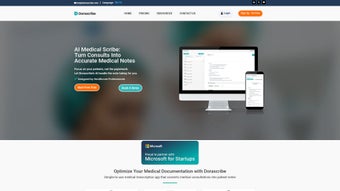

Download Dorascribe – AI‑Powered Medical Scribe for Efficient Documentation
Dorascribe is a subscription‑based web application that brings cutting‑edge artificial intelligence to the front line of clinical documentation. Designed specifically for physicians, nurse practitioners, and other healthcare professionals, Dorascribe listens to doctor‑patient conversations in real time and transforms them into structured, accurate medical notes. The platform eliminates the tedious, error‑prone process of manual transcription, letting clinicians devote more of their precious time to direct patient care.
Built on a deep‑learning model trained with millions of medical dialogues, Dorascribe delivers high‑fidelity transcriptions that meet the strict regulatory standards of the healthcare industry. Its intuitive dashboard, secure cloud storage, and seamless integration with popular Electronic Health Record (EHR) systems make it a practical addition to any modern practice. Whether you run a solo clinic or a large hospital department, Dorascribe promises to streamline documentation, improve billing accuracy, and ultimately enhance the quality of patient interactions.
Key Features and Benefits of Dorascribe
Why Dorascribe stands out in the crowded medical‑scribe market
- Real‑time AI transcription: Captures speech instantly, producing a draft note while the consultation is still ongoing.
- Medical‑term awareness: Specialized language models recognize jargon, drug names, and procedural codes with high precision.
- Structured note templates: Automatically formats content into SOAP, H&P, or custom templates chosen by the provider.
- Secure HIPAA‑compliant cloud storage: All recordings and transcriptions are encrypted in transit and at rest.
- EHR integration: One‑click export to major EHR platforms such as Epic, Cerner, and AthenaHealth.
- Editable draft notes: Physicians can fine‑tune the AI‑generated text before finalizing, ensuring clinical nuance is preserved.
- Analytics dashboard: Tracks documentation time, note accuracy, and billing impact to help practices optimize workflow.
- Multi‑language support: Supports English, Spanish, and French, expanding utility in multilingual clinics.
- 24/7 customer support: Dedicated help desk and onboarding specialists to assist with deployment and troubleshooting.
- Scalable subscription model: Tiered pricing that grows with the number of users and transcription minutes required.
Installation, Usage Guide, and System Compatibility
Step‑by‑step setup and daily workflow
Getting started with Dorascribe is straightforward thanks to its web‑based architecture. After purchasing a subscription, users receive a welcome email containing a secure link to the onboarding portal. The first step is to create a user account and set up two‑factor authentication, which adds an extra layer of security for patient data. Once logged in, the dashboard presents a clear “Create New Session” button. Clicking this initiates a secure audio stream that can be accessed from any modern browser—Chrome, Edge, Firefox, or Safari—on desktop or mobile devices.
To begin a transcription, the clinician simply presses “Start Recording” and speaks naturally with the patient. Dorascribe’s AI engine processes the audio in the cloud, delivering a live transcript that appears on the right‑hand side of the screen. The physician can pause, rewind, or add voice‑activated tags (e.g., #diagnosis, #prescription) to help the system categorize information.
When the encounter ends, the draft note is automatically organized into the selected template, and a “Review & Finalize” screen appears. Here, the provider can edit any portion of the text, add missing details, or attach supplemental files such as lab results. Once satisfied, the note can be exported directly to the integrated EHR or saved as a PDF for record‑keeping.
Dorascribe runs on any operating system that supports a contemporary web browser, including Windows 10/11, macOS 11+ (Big Sur and later), Linux distributions, as well as iOS 13+ and Android 9+ for mobile use. Because the service is cloud‑hosted, there is no need for local installation or hardware upgrades. All processing occurs on Dorascribe’s secure servers, ensuring consistent performance even on modest devices. For clinics with strict firewall policies, the platform also offers a VPN‑friendly mode that routes traffic through approved ports without compromising encryption.
Pros, Cons, Frequently Asked Questions, and Final Verdict
Balanced evaluation and answers to common concerns
- Pros
- Significant reduction in documentation time (up to 60 % faster).
- High transcription accuracy for medical terminology.
- Seamless integration with leading EHR systems.
- HIPAA‑compliant security and encrypted data handling.
- Scalable pricing that fits practices of all sizes.
- Cons
- Requires reliable internet connectivity for optimal performance.
- Initial learning curve for voice‑tag commands.
- Subscription cost may be prohibitive for very small solo practices without high volume.
Frequently Asked Questions
Is Dorascribe compliant with HIPAA and other privacy regulations?
Yes. All audio streams, transcriptions, and stored notes are encrypted both in transit (TLS 1.3) and at rest (AES‑256). Dorascribe undergoes regular third‑party audits to maintain HIPAA compliance and offers Business Associate Agreements (BAA) for covered entities.
Can Dorascribe handle multiple languages during a single session?
The platform supports English, Spanish, and French within the same session, automatically detecting language switches. However, for optimal accuracy, it is recommended to set the primary language before starting the recording.
What happens if the internet connection drops mid‑transcription?
Dorascribe buffers the audio locally and syncs it once the connection is restored. No data is lost, and the transcription resumes where it left off, though a brief delay may occur.
Is there a free trial available before committing to a subscription?
Yes. Prospective users can sign up for a 14‑day free trial that includes 5 hours of transcription time and full access to all premium features.
How does Dorascribe integrate with existing EHR workflows?
Integration is achieved through secure APIs and pre‑built connectors for major EHR platforms. After linking your EHR credentials in the Dorascribe dashboard, notes can be pushed directly into patient records with a single click, preserving timestamps and clinician attribution.
After a three‑month pilot in a busy family‑medicine practice, Dorascribe proved to be a reliable ally. Documentation time fell from an average of 12 minutes per patient to just under 5 minutes, freeing clinicians to see more patients without compromising care quality. The AI’s ability to correctly capture medication names and dosage instructions was particularly impressive. Minor hiccups—such as occasional misrecognition of rapid speech—were quickly corrected through the editable draft interface. Overall, Dorascribe delivers a compelling blend of accuracy, security, and workflow integration that justifies its subscription cost for most medium‑to‑large practices.
Conclusion – Take the Next Step Toward Smarter Documentation
In an era where clinicians are pressured to balance high‑quality patient interaction with extensive paperwork, Dorascribe offers a practical, AI‑driven solution that genuinely lightens the administrative load. Its real‑time transcription, robust security, and seamless EHR integration make it a strong contender for any practice seeking to modernize its documentation process. While a stable internet connection and a modest learning curve are required, the efficiency gains and potential billing improvements far outweigh these considerations. Ready to experience faster, more accurate note‑taking? Download Dorascribe today and start your free trial—your patients (and your schedule) will thank you.



.png)



